 Getting Started
 Gameplay
 Library
 Custom Systems
 Community

 kr
Title: A better reliability~
ReplyIntroducing the New Blinders-Online Launcher
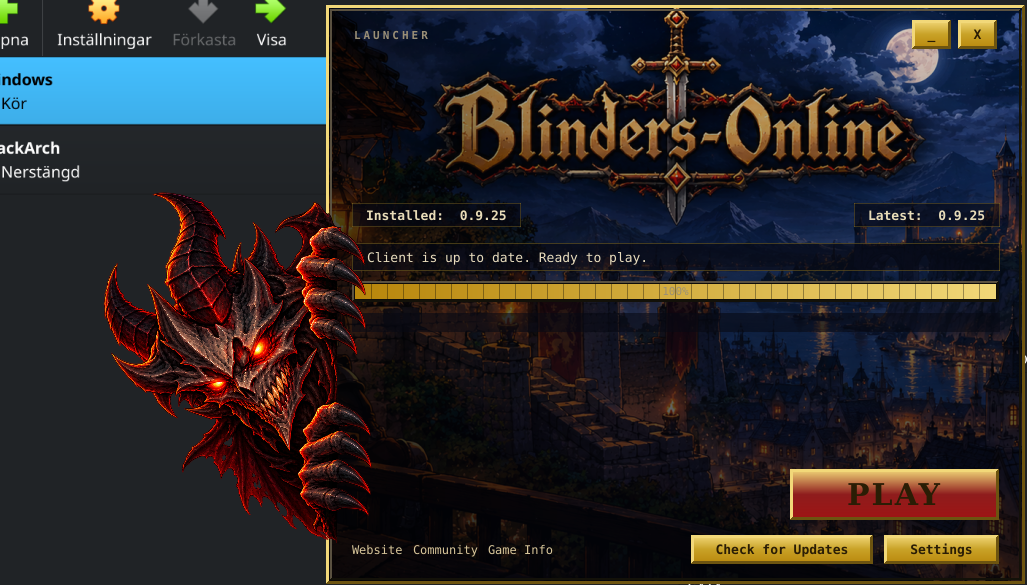
We are pleased to introduce the new **Blinders-Online Game Launcher**, alongside important improvements to the game client and its update system.The new launcher provides a more streamlined way to install, launch, and maintain your game client, with a classic look that fits the spirit of Blinders-Online.
Automatic Update Notifications
The launcher automatically checks for available client updates when opened and continues checking periodically while it remains running.When a new client version becomes available, a notification informs you of the update, including the number of files that need to be downloaded and the expected download size.
**You remain in control:** updates will not begin downloading until you choose to do so.
A New Client-to-Launcher Handshake
The OTCv8 client and the launcher now work together to manage client updates.When the client detects that a newer version is available, it presents an update prompt with the option to download the update or continue without updating.
When you select **Download Update**, the client securely hands the request over to the Blinders-Online Launcher. The launcher confirms the available update through the official update service and takes responsibility for downloading, verifying, and installing the required files.
If the launcher is already running, it will be brought forward to handle the request. If it is not running, the client will attempt to open it.
The client then closes gracefully so that its files can be updated safely. If other instances of the same installed client are still running, installation waits until they have closed rather than interrupting your other sessions.
You no longer need to manage client updates manually. **The launcher is now responsible for updating the game client.**
Improved Update Reliability
The update process includes additional checks to verify downloaded files before installation and safeguards to help protect existing game files and settings if something goes wrong.Updates are staged and checked before being applied. If an installation fails, recovery mechanisms help reduce the risk of leaving your client installation in an unusable state.
Windows and Linux Support
The launcher supports both Windows and Linux, making it easier for players on either platform to install and maintain their game client through the same launcher-first workflow.The new launcher is available from our **Downloads page**.
Moving from the Old Client
Going forward, please use the Blinders-Online Launcher to download, install, launch, and update the game.You may remove your old standalone client files once you have confirmed that you no longer need them. However, if you are upgrading from a much older client installation, **back up any local configuration files or other files you wish to preserve before deleting your old installation**.
The launcher will manage the client files required for the supported installation and update process.
A Better Foundation for Future Improvements
These changes establish a stronger foundation for future launcher and client improvements, with a focus on reliability, convenience, and a smoother experience.We recommend downloading the latest launcher from the website to receive update notifications and access the latest available client version.
👍😂❤️❓
This board is closed for replies.
 AI Assistant